

About fourteen months ago I was staring at a particleboard desk that looked like a cat had used it as a scratching post. Pen drag, mouse skip, a faint ring from a coffee mug I swore I would use a coaster under. I bought the Aothia PU leather desk pad on a Tuesday afternoon because it was budget-friendly, had more than 70,000 ratings, and the photo looked like what I wanted my desk to look like. That is not a particularly rigorous purchase process. But I have been using it every single workday since, through two product launches, a full summer of eight-hour remote sessions, and enough coffee spills to matter. This review is what that actually looks like after a year.
My desk is an IKEA Linnmon top on Adils legs, 59 inches wide. I work on a 27-inch monitor mounted on an arm, a full-size mechanical keyboard, and a Logitech MX Master 3 mouse. The desk pad covers roughly the center two-thirds of the surface. I am in a house with central air, so temperature swings are minimal, but humidity varies seasonally from dry winter to humid Georgia summers. I am giving you the context because long-term wear is highly dependent on environment and use pattern.
The Quick Verdict
The Aothia desk pad does its core job well for the price. After a year the surface is intact, the grip base still holds, and the waterproofing is functional. The only real wear is at one corner of the edge stitching, which is cosmetic rather than structural. For a budget desk accessory, that is a better result than I expected.
Amazon Check Today's Price →Your desk is probably getting scratched up right now. The Aothia pad costs less than lunch.
Over 77,000 Amazon buyers. Waterproof PU leather surface. Non-slip cork base. Ships fast.
Amazon Check Today's Price on Amazon →How I Have Used It
The pad went on the desk unboxed and flat. No special prep. It comes rolled in a cardboard tube, which means there is a curl to it initially. I set a keyboard and a laptop on it for the first 48 hours and by day three it was lying completely flat. If you set it on an empty desk and expect it to uncurl on its own, it takes longer. Weigh it down for a day and the problem is solved.
My daily use involves the mouse moving several thousand times a day (I tracked it with a utility called MouseTrack out of curiosity for a week in February and logged about 4,200 mouse movements per workday). The keyboard gets about six hours of actual typing time on heavy writing days. I drink coffee at the desk every morning and have spilled twice in twelve months, once a full third of a mug onto the pad. Both times I wiped it with a damp cloth within a minute and it left no stain and no warping. The waterproofing is real, not marketing language.
I have also used the pad as a writing surface for paper documents, which tests whether the surface has enough texture to allow clean pen writing without bleed-through pressure marks. It does. The PU leather gives just enough resistance that writing on paper placed over the pad feels normal.
Surface and Material: What the PU Leather Is Actually Like
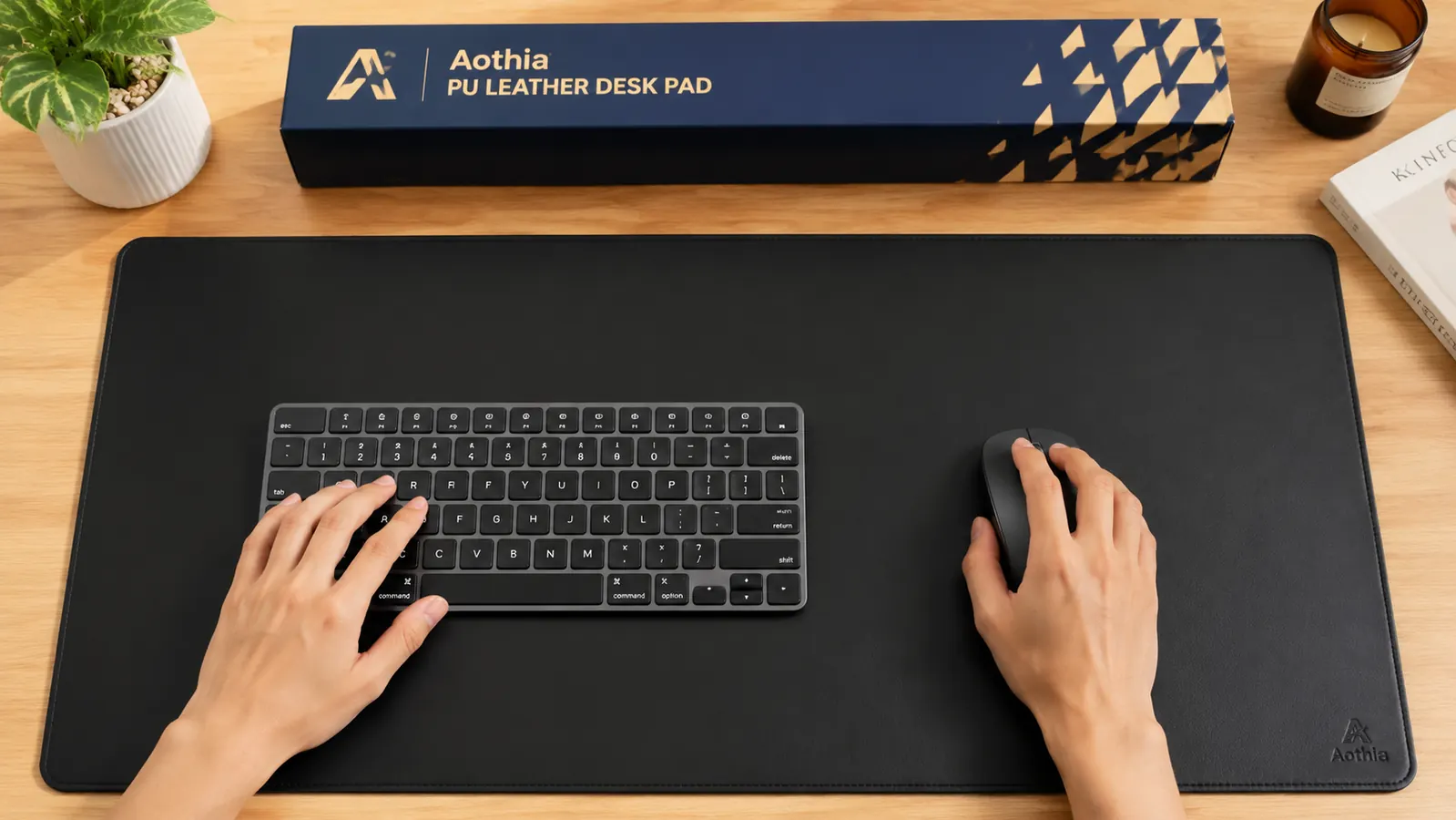
Aothia calls the surface PU leather, which is polyurethane-coated fabric. This is not genuine leather, and anyone pricing a leather desk mat at the budget level should already know that. What matters is how the PU coating behaves over time. After twelve months of daily contact with a mechanical keyboard's rubber feet, a mouse, my forearms, and occasional pen and paper, the surface shows no cracking, no visible delamination, and no color fading in the center where contact is heaviest. The matte finish has not gone glossy in the high-contact zones the way cheaper vinyl surfaces tend to.
The texture is smooth but not slippery. My mouse glides cleanly and tracks accurately on the surface, which is the primary use case for most people. It is not a purpose-built gaming mouse pad with micro-texture for high-DPI precision, but for everyday remote work it is better than a bare desk by a clear margin and comparable in tracking performance to a fabric mouse pad.
One thing worth noting: in the first two weeks the surface had a faint plastic smell. It was not strong enough to be a problem but it was detectable. By the end of week three it was gone. If you are sensitive to off-gassing from new materials, give it a few days in a ventilated room before putting it on your desk.
Edge Stitching: The One Area That Shows Age
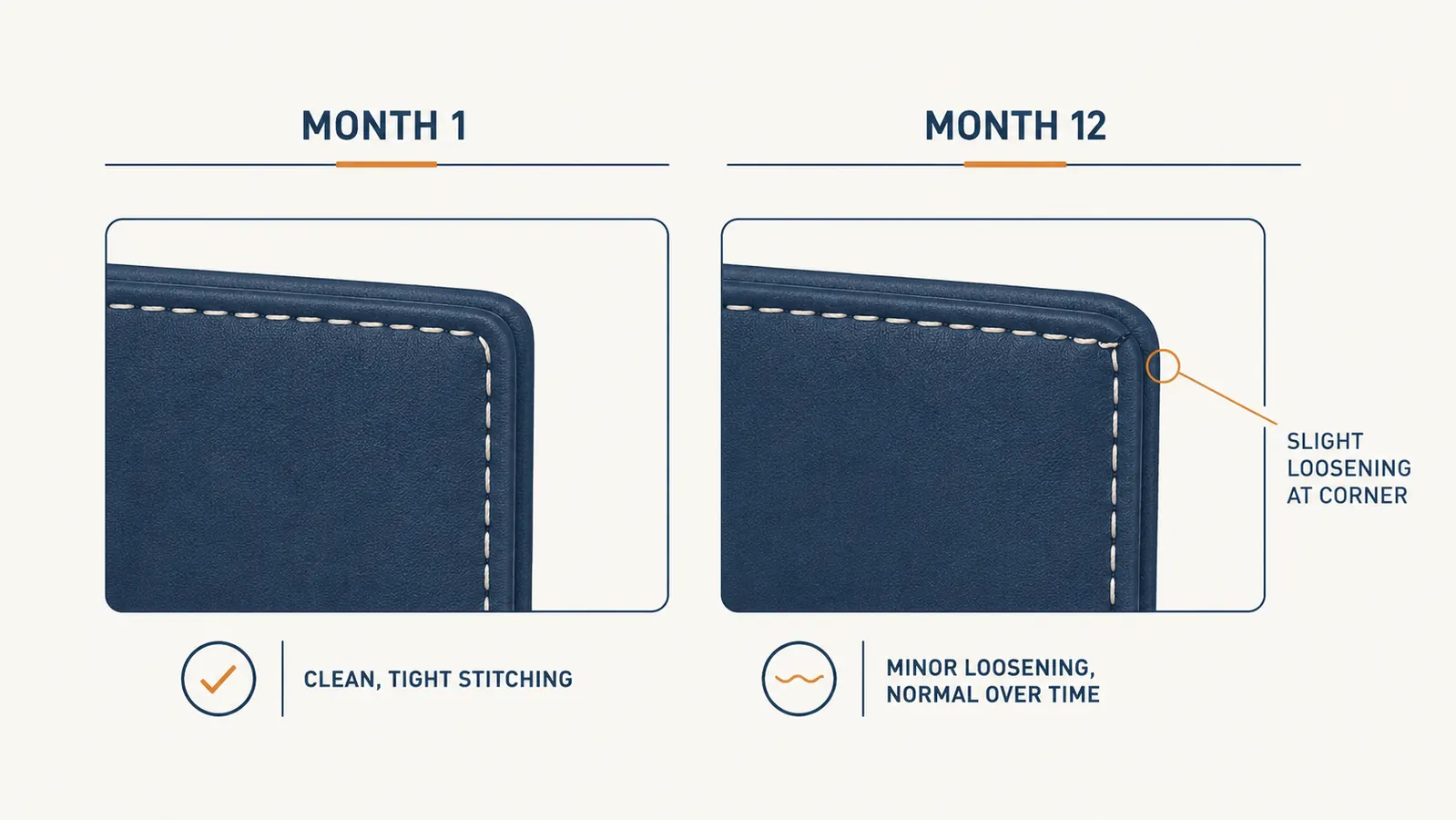
The perimeter of the pad has stitched edges in a contrasting color, which is one of the features that makes it look more finished than a plain rubber mat. After twelve months I can see a small amount of loosening at one corner, the bottom-right where my elbow rests when I am reading and not typing. It is not fraying and it has not worsened in the past two months, so I think it has stabilized. It is not something I notice during work. I notice it when I look for it.
The three other corners look exactly as they did when I unboxed it. The stitching along the long sides, which see more forearm contact than the corners, shows no sign of wear. My read is that the bottom-right corner was a high-stress point specific to my posture and desk position. If your use pattern does not involve a lot of forearm pressure on one corner, you may not see this at all.
The Non-Slip Base: Does It Actually Stay Put?
The underside is described as cork-like material with non-slip properties. On my laminate Linnmon surface, the pad does not move during normal keyboard and mouse use. I have never had it drift during a workday. When I intentionally push it from the side with moderate force it slides, so it is not adhesive, but under normal working conditions the grip is reliable. I have not needed to adjust its position since the first week.
The base material has not deteriorated. After twelve months it has not picked up lint or debris that would reduce grip, which I was slightly concerned about based on reviews of similar products from other brands. Keeping the desk surface clean before placing the pad down helps. I wipe the underside about once a month when I move the pad to clean the desk.
My mouse has crossed this surface roughly four thousand times per workday for a year. The PU coating shows zero cracking. I did not expect that from a budget product and I want to be direct about it.
Waterproofing: The Claim I Tested by Accident
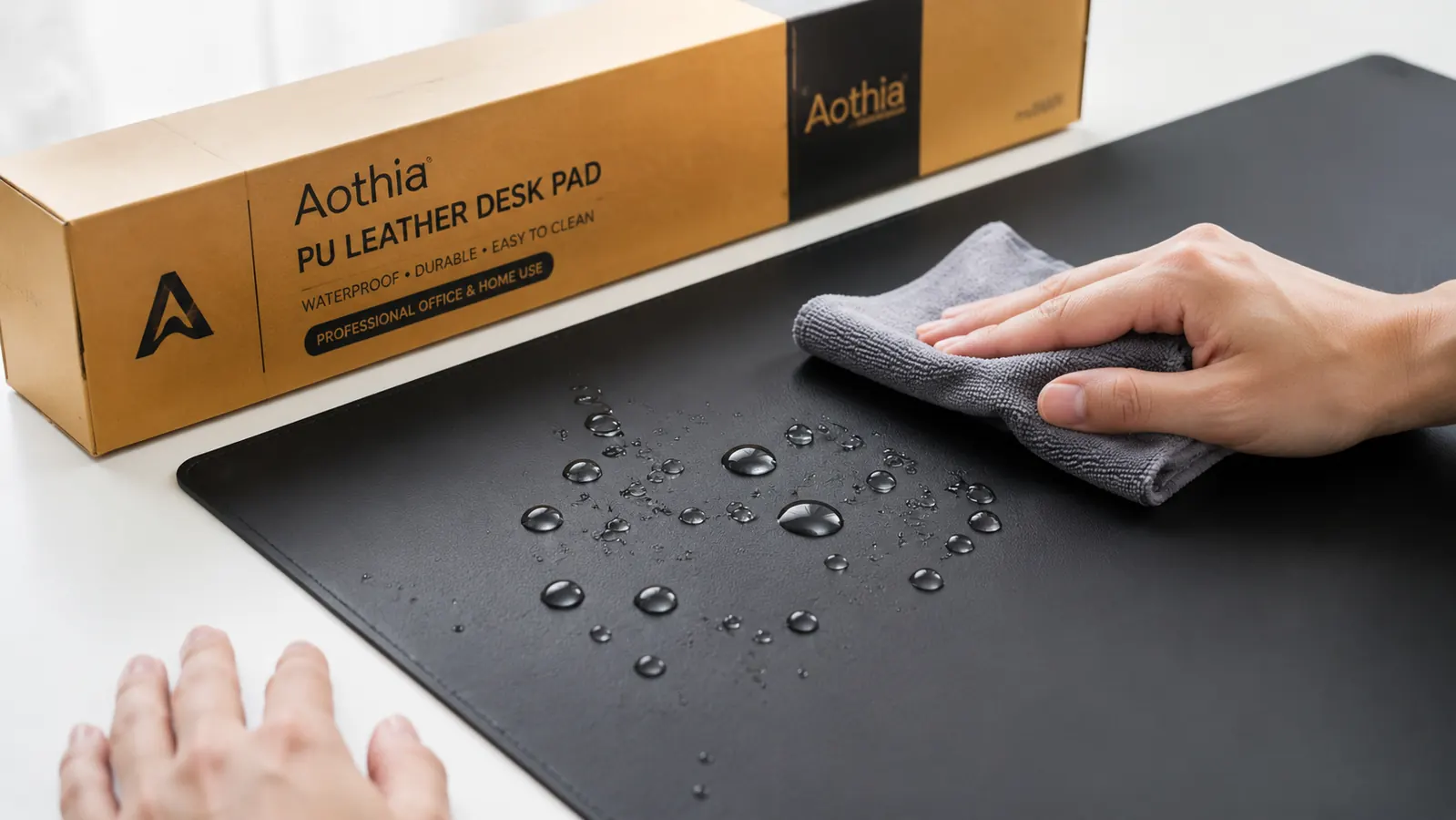
The product listing says the surface is waterproof. I can confirm this is accurate and not an exaggeration. My most significant test was about five months in: I knocked a mug that was roughly one-third full of black coffee onto the pad. The coffee pooled on the surface and began running toward the keyboard. I moved the keyboard, grabbed a dish cloth, and wiped the surface within 45 to 60 seconds. No staining. No discoloration. No warping of the edges from liquid intrusion. The pad looked identical to before the spill.
A second, smaller spill about three months later produced the same result. What I do not know is how the pad would respond to liquid that sat for an extended period, like an overnight spill. I suspect the stitched edges are a weak point if liquid seeps underneath, but in normal use the waterproofing does exactly what the listing promises.

Alternatives I Considered and Why I Stayed
After six months I looked at the Nordik leather desk mat and a few other options in the mid-price range, mostly because I was curious whether the step up in price delivered proportional improvement. The Nordik has better edge finishing and uses a slightly thicker PU layer, which shows in the feel. But after handling both, the difference did not justify the price gap for my use case. If I were buying for a client-facing office where aesthetics matter more than function, I might pay more. For a home office that I am the only one who sees, the Aothia does the job. I have a full comparison at the link below if you want to see the side-by-side.
I also considered a fabric extended mouse pad, the kind that covers the entire desk width. Those are better for very high-sensitivity gaming mice and they clean differently. For remote work where the pad is also a writing surface and a spill-protection layer, I prefer the PU surface. Personal preference, but worth naming.
What I Liked
- PU surface shows no cracking or color fading after twelve months of daily use
- Waterproofing works. Two coffee spills cleaned off without any staining
- Non-slip base holds reliably on both laminate and wood surfaces
- Mouse tracking is clean and consistent. No skip or drag
- Ships flat enough to uncurl within 48 hours under light weight
- Price is low enough that replacing it after two years is not a financial event
Where It Falls Short
- Edge stitching at high-stress corners can loosen after extended heavy use
- Initial plastic off-gassing smell lasts one to three weeks
- Not a true gaming surface. High-DPI precision mouse users may want dedicated hardware
- The PU is not real leather. It will not age or develop patina the way genuine leather would
Who This Is For
The Aothia desk pad is the right buy if you are a remote or hybrid worker who wants to protect a desk surface, improve mouse tracking, and clean up the look of a home office workspace without spending a lot. It fits a 59-inch desk comfortably in the larger size option, and the color choices cover most home office palettes. If you spill drinks at your desk with any regularity, the waterproofing is a practical benefit rather than a marketing feature. If you want something that looks polished enough to appear on video calls in the background, this qualifies.
Who Should Skip It
Skip the Aothia if you want genuine leather. The PU surface is durable but it is not leather and it does not feel like leather. If you are buying a desk pad partly for the tactile experience of real hide, spend more and get a genuine leather or vegetable-tanned option. Also skip it if you run a high-DPI gaming mouse and prioritize tracking precision above everything else. And if you are outfitting a formal client-facing office where the mat will be closely examined, the Nordik or a similar premium option has better stitching quality at the edges. My full comparison of the two is worth reading if you are on the fence between price points.
After a year of daily use I still have this pad on my desk. That is the honest answer.
Current price is budget-friendly for most size options. Non-slip base, waterproof surface, stitched edges. Ships in two days with Prime.
Amazon Check Today's Price on Amazon →