

I bought the White Crown LED desk lamp in January because I was tired of squinting at my monitor by 2pm. My overhead light was washing everything out, and I had no good task light on my desk. At a low price point, I figured the downside was a cheap lamp I could toss if it did not pan out. Six months later it is still running every day. Here is what I actually found.
My desk sits in a spare bedroom with one north-facing window. By noon the natural light is gone and I rely entirely on whatever I have on my desk. Before the White Crown, I used a generic gooseneck lamp I picked up at a dollar store. It had one setting: aggressively yellow. My eyes would ache by mid-afternoon and I kept blaming screen time. The real problem was poor task lighting, and I only figured that out after I switched.
The Quick Verdict
A genuinely useful desk lamp for the price. The eye-comfort claim is real in the middle modes. The touch control is fiddly and the USB port placement is awkward, but neither kills the deal at this price point.
Amazon Check Today's Price →Your eyes should not ache by 2pm. Fix your desk light for less than a dinner out.
The White Crown LED desk lamp ships with 5 lighting modes and 7 brightness levels. If your current lamp has one setting that is either too warm or too harsh, this is a direct upgrade.
Amazon Check Today's Price on Amazon →How I Have Used It
Six months, five days a week, roughly seven hours a day on my desk. My workday starts around 8am when there is still decent window light, and I leave the lamp off until about 11am. From late morning through the end of the workday I run it continuously. I am primarily writing and editing in Google Docs and occasionally doing video calls, so the lighting conditions it needs to handle are varied.
I cycled through all five modes deliberately for the first two weeks, timing how long I could work before my eyes felt fatigued. Then I settled into the two modes I actually use: the 4000K natural white for focused writing sessions and the 2700K warm white for late afternoon when I want to wind down without killing my concentration. The daylight mode at 6000K I almost never use at my desk. It feels better suited to a craft table or a makeup mirror.
I also tested the memory function by unplugging and replugging the lamp about a dozen times over the first month. It reliably returns to whichever mode and brightness level I last used. That sounds minor but it matters when you unplug everything at night and want your setup back in thirty seconds in the morning.
The Lighting Modes in Practice
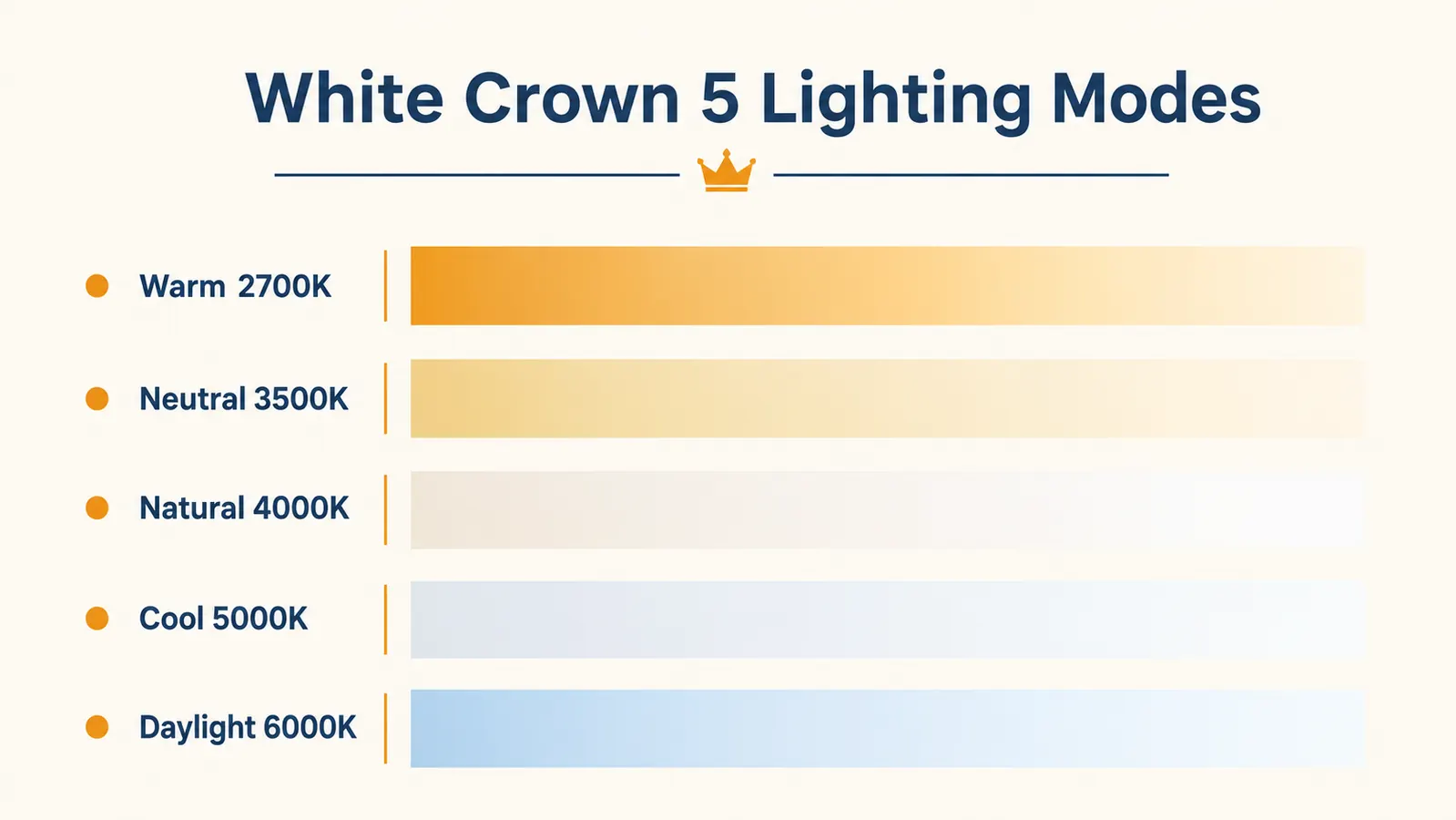
The five modes span warm white at roughly 2700K to daylight at approximately 6000K. Most reviewers default to whatever mode the lamp ships in and leave it there. I did not do that. I ran each mode for a full week of work sessions and tracked how my eyes felt by end of day.
The 2700K warm mode is comfortable but slightly amber for reading dense text on a white screen. It is good for late afternoon or any time you want the lamp to serve as mood lighting alongside your screen rather than compete with it. The 3500K neutral mode is my second-most-used setting. It is gentle on the eyes without the yellow cast of the warm mode, and it pairs well with a warm monitor profile.
The 4000K natural white is the one I use for most of the workday. It reads as neutral, which means it does not fight with the color temperature of my monitor. The 5000K cool white is noticeably brighter in feel and I found it useful on very overcast winter days when I needed more stimulation to stay alert. The 6000K daylight mode was the only one that genuinely strained my eyes after two hours. I use it occasionally to check print proofs or look at photos where color accuracy matters.
The 4000K natural white mode ran for six months as my daily driver. It pairs with a monitor better than any cheap gooseneck lamp I have owned.
Brightness Range: Seven Levels That Actually Spread Out
A lot of budget lamps claim multiple brightness levels but cluster them all near the top, so the steps feel like nothing. The White Crown's seven levels are reasonably spread. The bottom two levels are genuinely dim, which is useful if you want a faint background light without illuminating your whole room at midnight. Level four or five is where I spend most of my workday.
At maximum brightness the lamp is not going to light an entire room, but that is not what it is for. It throws a strong even pool of light on your immediate workspace. For comparison, I set it at full brightness next to a 60-watt-equivalent LED desk lamp I use in my living room. The White Crown was meaningfully dimmer overall but the quality of the spread on the desk surface was better, with less harsh shadowing.
Touch Control: Useful but Requires Patience
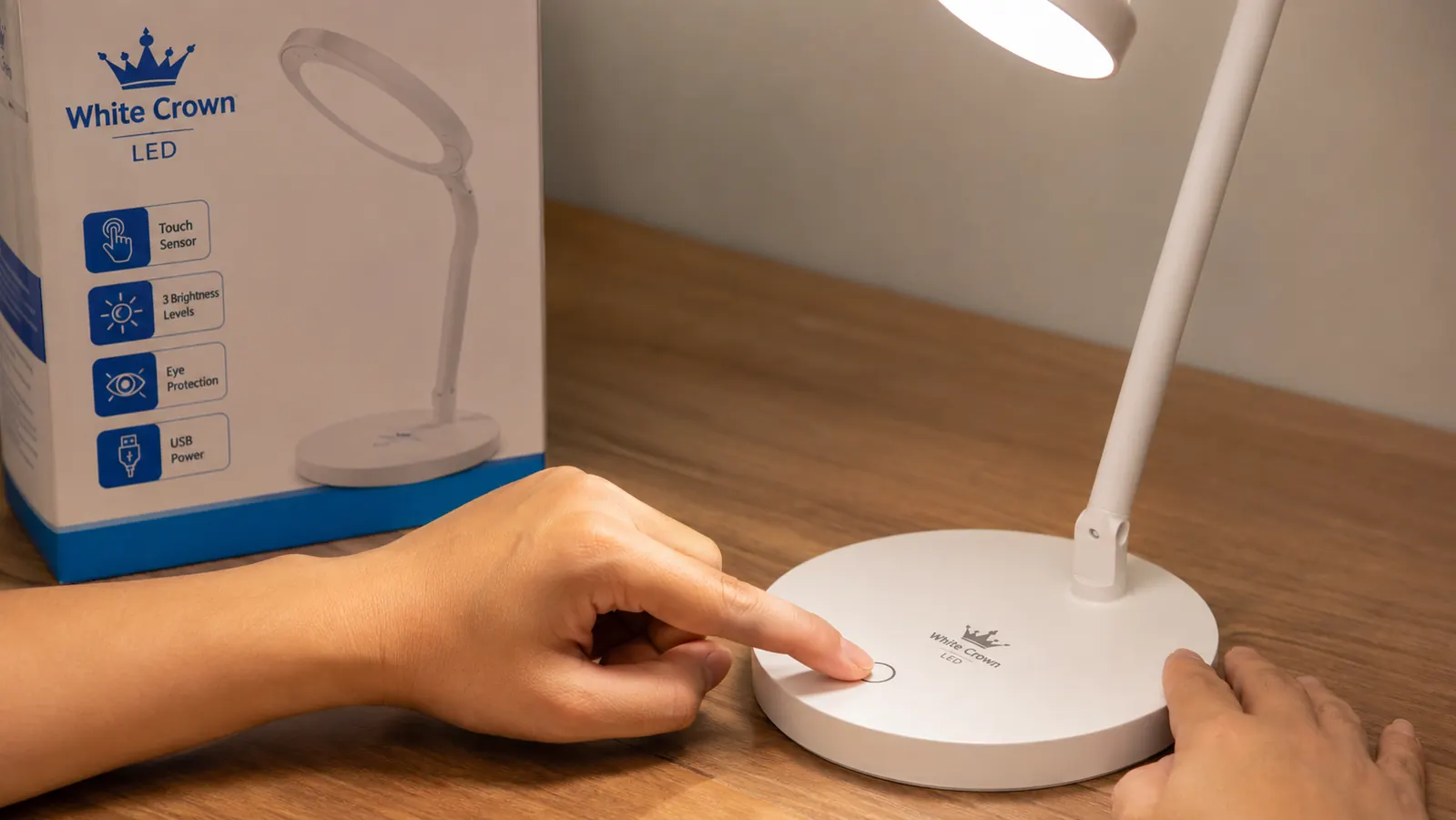
The lamp is controlled entirely through a touch sensor on the base. A tap cycles brightness within the current mode. A long press cycles to the next color temperature mode. In theory this is clean and modern. In practice I misfire it a few times a week. The sensitivity is calibrated for a deliberate press, not a brush. If you graze it while reaching across your desk for something, you will shift the brightness without meaning to.
I got used to it after about three weeks. The memory function partly compensates because even if I accidentally change settings, replugging the lamp resets to where I want it. But if you share a desk with a child or a distracted partner, the touch control will cause friction. A physical button would have been a better design decision for this product category.
The USB Charging Port
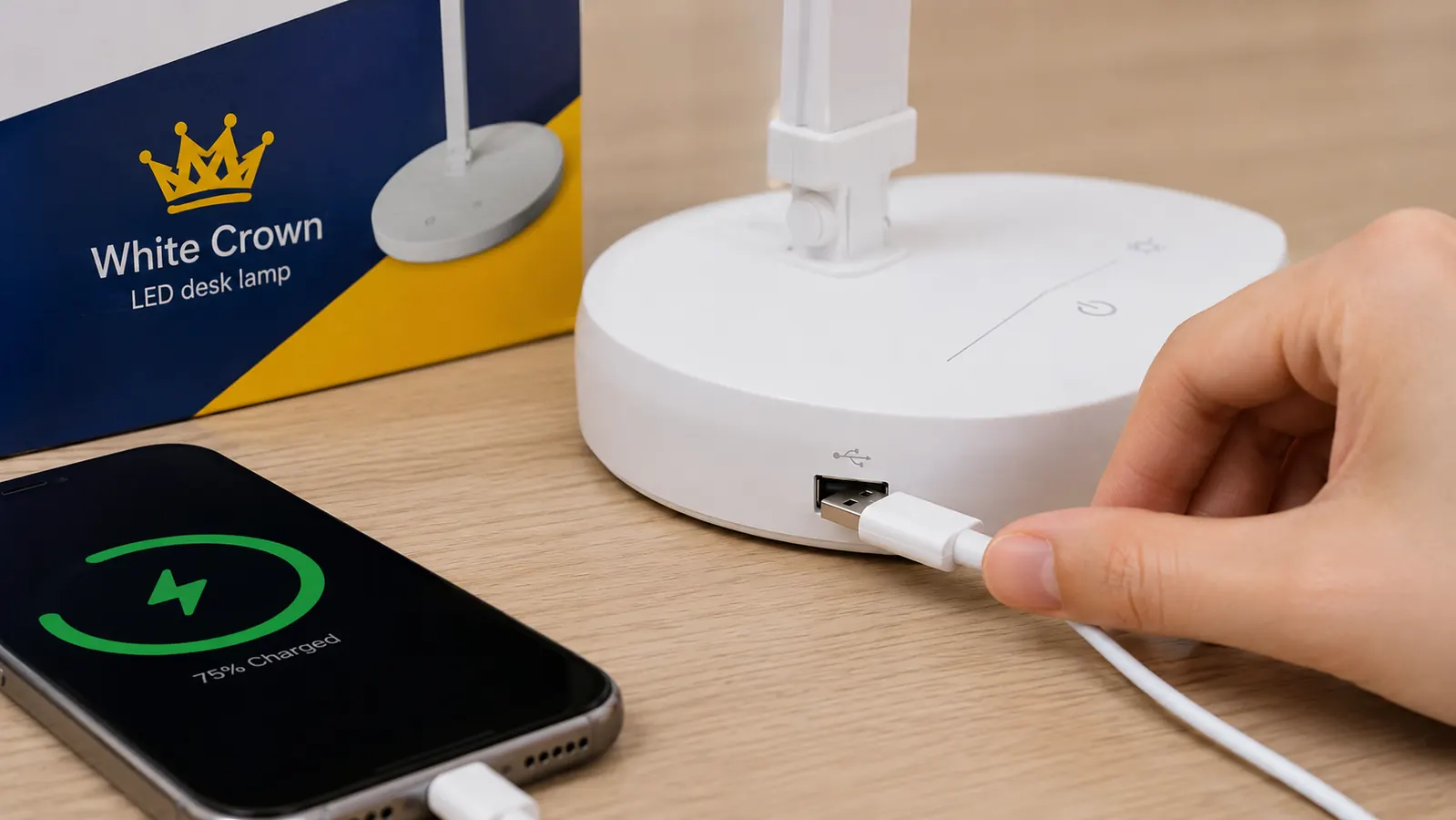
The lamp has a USB-A port on the base. It charges phones and earbuds at a standard rate. Nothing remarkable there. The issue is placement. The port faces the side rather than the front, which means depending on how your lamp is oriented on your desk, the cable will run sideways and look awkward. On my desk I ended up rotating the whole lamp slightly left of my natural position to get the port pointing toward me. It works but it is the kind of thing a product team should have caught in testing.
That said, having a charging port on a desk lamp at all is useful. My desk has limited outlets and I now charge my phone directly from the lamp base rather than running a cable to a wall charger. The cable management is cleaner for it. I just wish the port faced forward.

Build Quality and Six-Month Durability
The lamp is plastic. At this price point, plastic is expected. The neck is a single rigid gooseneck arm that holds position without drooping. I tested this by setting the neck angle and then bumping it deliberately a few times over a week to see if it would creep downward. It held. Some cheap gooseneck lamps develop sag within a month and the light ends up pointing at your lap. This one has not done that in six months.
The base is weighted enough that the lamp does not tip when you hit the touch sensor. The power cable is a standard USB-C to USB-A setup, which means it will work with most laptop chargers or USB adapters you already own. The head itself does not rotate independently, only the neck adjusts. You angle the whole arm rather than pivoting the light head separately. That is a small limitation if you want to cast light at a specific angle without moving the base.
What I Liked
- The 4000K natural white mode is genuinely comfortable for multi-hour writing sessions
- Memory function reliably restores the last mode and brightness after unplugging
- Seven brightness levels spread across a real range, including two that are actually dim
- USB charging port frees up a wall outlet on a crowded desk
- Neck holds angle without drooping after six months of daily repositioning
- USB-C power input works with adapters you already own
Where It Falls Short
- Touch control misfires if you brush the base reaching for something
- USB charging port faces sideways, which looks messy depending on lamp orientation
- 6000K daylight mode causes eye fatigue after extended sessions at a monitor
- Head does not pivot independently, only the full neck adjusts
- No physical on/off switch; you must touch the sensor or unplug to kill it
Does the Eye-Caring Claim Hold Up?
The lamp is marketed as eye-caring, which is a term that means almost nothing on its own. What I can tell you from six months of use is that my afternoon eye fatigue dropped noticeably after I switched from my old single-mode gooseneck lamp to this one. The difference was most obvious in the first month. By late February I was consistently working two to three hours longer before my eyes felt ready to stop.
The most likely explanation is that the ability to match the lamp's color temperature to the time of day reduces the contrast battle your eyes fight between your screen and your ambient light. When the lamp and your monitor are at similar color temperatures, your pupils do not have to constantly adjust between a warm environment and a cooler screen. Whether the White Crown achieves this through any specific LED technology or just through having good mode options is not something I can test at home. What I can say is that it worked in practice.
If you are coming from a single-mode LED or an incandescent desk lamp, the improvement will likely be real. If you already have a quality adjustable lamp and you are hoping this one offers something more sophisticated, it probably will not.
Who This Is For
Remote workers who rely on task lighting for most of the workday and want something better than a basic single-mode gooseneck without spending top dollar. People who work long writing or reading sessions at a monitor and want to match their lamp's color temperature to their screen. Anyone with limited desk outlets who can use the USB charging port as a practical bonus. If your main complaint right now is that your desk light feels either too harsh or too dingy and you have never had the option to adjust it, this lamp fixes that problem at a price that requires zero deliberation.
Who Should Skip It
Anyone who needs strong illumination for detailed physical work like drawing, model building, or craft projects. The White Crown is sized for a personal desk and it lights a personal workspace. It is not a task lamp for a drafting table or an art bench. People who would use the daylight mode exclusively should look at a dedicated high-CRI 5000K or 6500K lamp instead, since the White Crown's daylight setting performed the worst of the five modes in my testing. And if you prefer physical switches and buttons to touch controls, this lamp will frustrate you from day one.
Also worth noting: if you are comparing this to the Voncerus clamp lamp or other mount-style options, the White Crown is a freestanding base model. It takes up desk footprint. If your desk is already crowded and you want lighting that comes from overhead, check out the White Crown vs Voncerus comparison before buying. And if eye strain is your primary concern, the 10 reasons an LED desk lamp reduces eye strain guide covers the broader setup changes that make the biggest difference, with this lamp featured as the starting point.
Six months in, I would buy it again. It is the easiest lighting upgrade on a working desk.
The White Crown LED desk lamp is available in black and white. If your desk lighting is giving you afternoon eye fatigue, this is the first thing I would change. The current price on Amazon makes it a no-risk pickup.
Amazon Check Today's Price on Amazon →